Posts Tagged ‘ GPS

New Hampshire Meetup

I am a member of the Boston Sport Bike Meetup.com Group. I have only been able to go on two rides so far but they have both been fun.

I have been “planning” on doing a New Hampshire trip on my own this summer. I even have the route all mapped out and loaded in my GPS. But I wasn’t getting out the door. I was unsure of whether to do it in one day or two and I wasn’t sure how much money it would cost and so on. It would have also been my longest ride to date and I may have been intimidated by the miles in my route.

One day I see a scheduled meetup to do a slightly shorter version of my planned trip. I decided that since I wasn’t able to motivate myself to go on my own, I would make myself go on this ride.

We met in the morning, north of the city. It took a bit of getting used to for me to adjust my timing to allow for many riders, up to 15 at one point. I normally ride solo, and as we all know traveling in groups can be a bit of a hurry up and wait situation. There was a bit more futzing around than I would have liked and lunch was much longer than I would have liked but I enjoyed riding with the group and therefore the slight inconveniences were worth it.

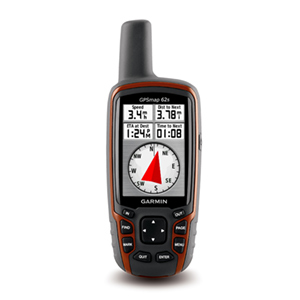
I used my Garmin 60CSx to map my route. At Lincoln, NH several of us decided to head home while the rest continued on a bit more.

My Route:

View Larger Map

For a graphic showing the approximate speed and elevation of the ride go to me Garmin Connect activity page.

The Kancamagus is a lot of fun. It is almost as good as so many roads in Northern California. If it weren’t for the cars it would be a fantastic road. I put together a shorter video of some of the twisties. Recorded using a U-bolt camera mount and a Flip Mino. The bike you see most of is Tim’s Ducati 848. I, of course, am on my 2006 Yamaha FZ1.

I hope to get up there on another ride this summer. Hopefully following the route I have mapped out. I would be more than happy to do a smaller group ride of maybe 4 to 6 people. It seams that the best size for motorcycle trips is also the best size for project teams.

Powered by Flickr Gallery

Thanks for reading and happy riding.

Have RAM mount will Travel

I now have a complete set for my GPS traveling needs. Thanks goes out to my mother for the birthday money that allowed me to buy the goods (used via craigslist).
Today I received the motorcycle handlebar mount, for my FZ1, and the windshield suction cup mount, for my civic.

Powered by Flickr Gallery

It took a bit of work to get the GPS mounted how I like it on the bike, and I did a bit more after I took the above photo. The RAM mount really only pivots on two axis meaning that the base ball must be in a proper place.
I have several routes of varying length loaded into my GPS and I am eager to try it out. I need to test it out before my long trip into New Hampshire.

Wish me luck and happy riding.

Ps. A great thing about the 60CSx is that it can be powered off of my USB charger. This is great for both the bike and the car.

Google Map .gpx file export to 60CSx test

This is now the third day with my Garmin 60CSx. I like it, even though the interface is a bit cumbersome. The accuracy is great and the tracking and routing features are fun. In my last post my step-father commented about needing a detailed map to get the turn by turn directions. I hadn’t thought of this before. I didn’t realize that the included maps, labeled “Base Map”, would be so barren of data. I mean primarily only highways and other major roads.

That being said I looked into buying various Garmin produced maps. City Navigator NT is $108, after shipping from Garmin, you can get it cheaper from www.gpscity.com, and has received some bad reviews when compared to previous non-NT versions.
I am hesitant to buy a bad map product for that much money. According to GPScity the new Topo maps from Garmin have trail and road routing as well as topo maps. The TOPO NorthEast map is $138, after shipping from Garmin, again, cheaper at GPScity. I do not know how the routing is on these maps though. For example, can I have it only route using roads and disregard trails? Does it have all the roads that the City Navigator has? I have asked GPScity this just today and am awaiting a response.

While that debate has been going on inside myself, I went and found an unlocked North American detail map for my 60CSx. The routing on the unit seems to work well and has adequate visual and auditory cues. The routing of course is limited and is really only useful for single destination routes.

Since, the map that I currently have only works on the unit and not in the BaseCamp software I can not really route on my computer and send it to my unit. I have seen YouTube videos of people using Google Earth and following the roads by hand and then exporting that to their GPS. That is a pain. I hope to do a 500 mile trip this summer and I am not about to trace out 500 miles of twisty roads in Google Earth or any program for that matter.

I then came across this little API service which allows me to create a map on Google maps and export that route to a .gpx file. It works just like it said it would. It is not as good as I hope the Garmin maps will be though. For example, I used the third map from my previous post which was routed from town to town. The .gpx file then created six individual routes on my 60CSx. I then recreated the map with a single route (both the map and .gpx file can be found at the end of that previously mentioned previous post) and exported that.

This worked better and created a single route. In order to test this I created a local small route on Google maps and sent it to my 60CSx and went for a test ride. It worked but not that well. Thankfully I knew the area. Here are two photos that illustrate the main problem.

Powered by Flickr Gallery

The problem, as you can see, is that the .gpx file imports many waypoints with non-useful names. The directions then lead you to these waypoints. At one point I was to turn right, as indicated by the map, yet I was being directed to waypoint GRTP-0032 on the LEFT. I found this to be not very helpful, quite the opposite.

While it did work, after this test I fully intend to purchase a full map from GPScity that will allow me to use BaseCamp software to plan my routes, but am awaiting more information on which map to purchase.

Thanks for reading and ride happy.

Stretching my Motorcycle Legs – Updated

I have been riding fairly regularly, read once or twice a week, now that I am not going to classes and do not yet have a job. Today I needed to go to the post office in Boston, so I took the bike. As it turned out, the weather was perfect. It was sunny and slightly cool. On the way to the post office I was riding slightly aggressively and that was fun. On the way back however, I kept riding and ended up in my local regular spot, the Blue Hills. There were very few cars which allowed me to open it up much more than regular. It was great. It made me remember why I ride a motorbike and why I ride a sport bike.

I found myself being too conservative, because I am used to traffic. There is a lot more road to exploit in both directions than I realized. I even did some right hand turn practice on a clover leaf highway exchange and some left turn practice on a big roundabout. It was great fun to work on my chicken strips a bit and to ride the bike a bit harder than I typically do during every day commuting.

I tracked my ride with a new iPhone app. I normally use MotionX which has worked well for me. I came across this review of EveryTrail iPhone app. Paul, the writer of the blog, swore that this was his favorite GPS app. I decided to give the free version a try.

I like it well enough. I like the end product with the “playable” route and the speed and elevation graph. However it suffers the same woes of all iPhone GPS apps which is GPS inaccuracy. For example, my top speed for this trip was 1043 mph. (UPDATE: I was able to figure out how to edit my route on the everytrail website which has greatly lowered my top speed to around 500mph. Also, I noticed something peculiar in that the website only displays the duration of the trip when clicking on the “info” tab of the graph insert. It does not show this in the trip details toward the bottom of the page. Annoying.) While that speed would be something special, I am not that special on my Yamaha FZ1. Because of that mishap, my speed graph has been rendered relatively useless since the Y-axis scale is so expanded.

Here is the end result. There is a play button on the bottom left, and you can remove the graph and pinpoint specific point in the ride. It’s all pretty cool:

post office run


Here is the full size version: Click Here!

I liked it enough to try it again. The UI is more “Web 2.0″ than MotionX and therefore a bit more attractive.

Unfortunately, no GPS app on the iPhone will ever be as accurate as a dedicated GPS unit from the likes of Garmin.

thanks for reading and happy riding.

my ideas for Garmin

Garmin, is a diversified GPS giant. They seem to be everywhere but in a very conservative stand. What I mean by that is they make sure they are involved in a lot of different areas and segments but don’t jump head first (or wallet first) into a niche market.

My team did a in depth presentation and write up on Garmin. The presentation can be found on my Linkedin page.

The big recommendation – buy a map company. We think that Garmin will be leveraged out of the market if they do not buy a map company to increase their value added to potential partner companies.

The one place that Garmin seems to not be yet is healthcare. This was the most profitable recommendation of ours but not the most interesting to me.

The most interesting to me were the social network building suggestions we have for Garmin. I feel I can write about these outside of our paper because they were my ideas.

The main concept is to have Garmin provide a platform (including an SDK) to promote developer and user input and innovation. Garmin is coming out with the Nuvifone, their answer to the smartphone threat. Garmin offers great GPS services but they do not encourage same side network effects, which is what has made the iPhone such a hit. Same side network effect is when you have a product and it’s really cool and enables you to share stuff and do stuff with other people who have the same product. iPhone does this, Furby does this, Garmin does not do this. Same side network effects is what really drives user recommendations to friends. If I have a Garmin with its current functionality, I will say to a friend, “get a GPS, they are great.” If I have a Garmin with the ideas that I will introduce in a minute, I will say to a friend, “get a Garmin, then we can do all this cool stuff together.”

For the sake of space, I will be brief. Here are some of my ideas for Garmin (including the key slides from the presentation):

Shared Photo Navigation – currently Garmin lets you use your own photos for navigating but does not let you share those photos for others to use.

User Point of Interest Reviews – users could click on a “more info” button to see what others have said about a particular POI.

User Traffic Updates – hopefully this would be more of “two car accident @ exit 12″ rather than “this traffic bites.”

User Map Updates – Users can update the map and after a certain number of users verify that change by making the same update, the change will be incorporated into the main map.

Another idea is Garmin Caravan. This allows a group of Garmin users to sync their Personal Navigation Devices (PNDs) before a trip and then have their maps synced as they drive. Users can suggest waypoints and send short messages via the PND and others can accept those waypoints. Ideally this data would travel over the cell tower network and since Garmin currently has 25 PNDs with MSN Direct capability this should be possible.

The last idea for this post is what I call Garmin Destinations. This would enable users to record their trip using an SD card and later upload their route to their computer so that it can be plotted on a pretty map. Users would also be able to add geo-tagged photos and messages to the map. This makes it an interactive travelogue. Users could then upload it to their blog and even better yet, upload it to Facebook. How great would it be to share your travel adventures with your family and friends using an interactive and attractive map. This is free advertising for Garmin. People will think, I could have that much fun and go on trips if I had a Garmin too.

In conclusion: Garmin needs to buy a map company, explore the healthcare market, and open up their platform.